Ready-made templates with MCP
Pre-configured flows with MCP, ready to activate in a few clicks.


Retrieve supplier information with AI via MCP and update the supplier record in Bling

Ask AI to summarize a prospect informations and create a lead in Kommo with the full context using MCP

Ask AI to evaluate a prospect and create an opportunity directly in Omie CRM via MCP

Ask AI to generate a daily summary and send it to your team via Telegram Bot using MCP

Ask AI to retrieve information from rows in Google Sheets using MCP
MCP in practice
How different teams use MCP in everyday automations.
-
Ask AI to open your calendar, read your emails, and check the deals that moved forward in the CRM. In a few seconds, you get a prioritized summary of your day, with no need to open five tabs.
Automate my daily briefing -
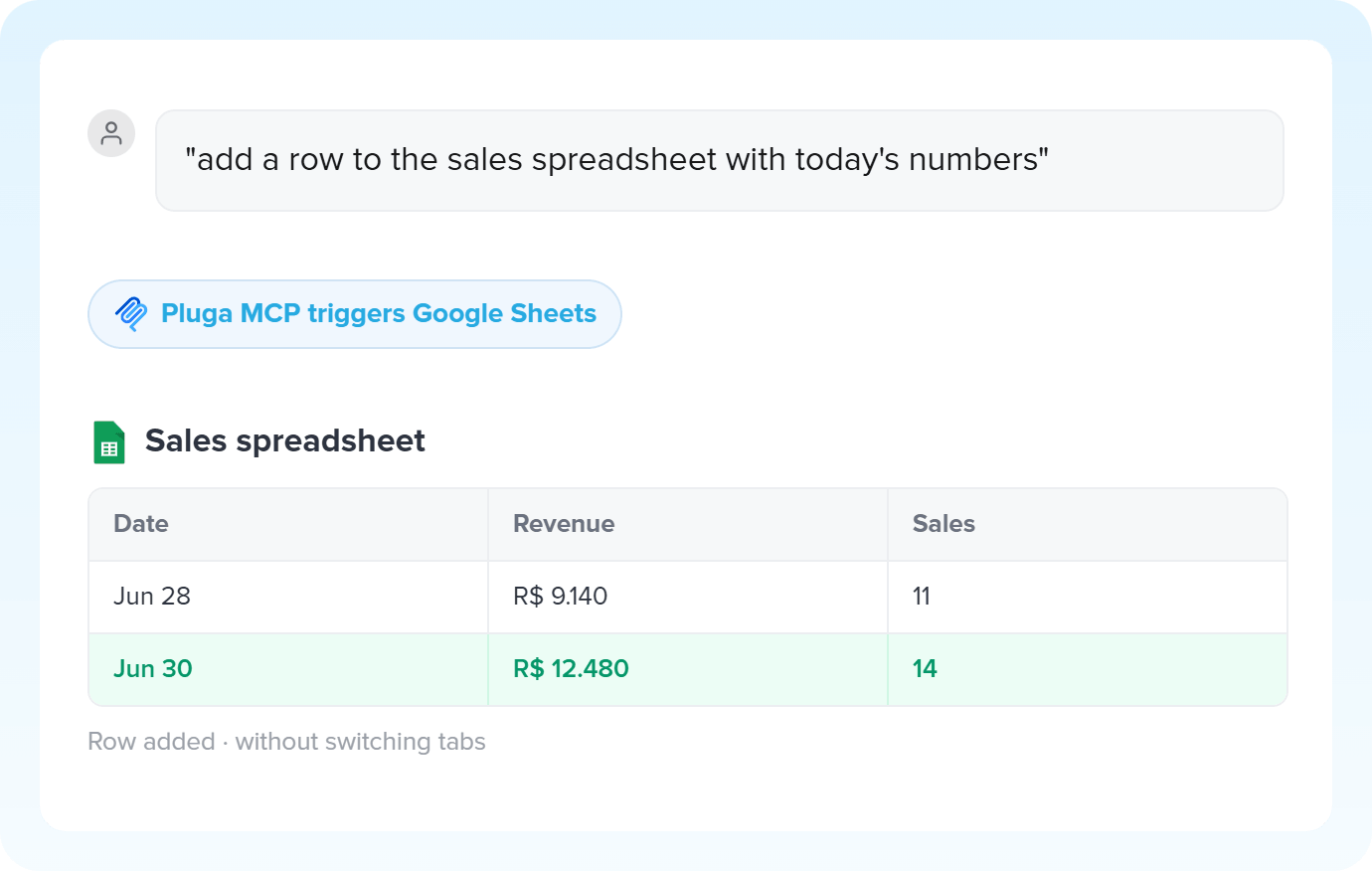
Checking stock, updating a record in the ERP, notifying the team: you describe it all in a single command and Pluga's MCP triggers each app in sequence - all in natural language.
Run actions with MCP -
A customer reaches out and you ask AI to pull their purchase history and order status. MCP queries everything across the connected apps and already logs the ticket with the full context.
Resolve tickets with MCP -
The MCP URL is unique. You can create different automations behind it, each with its own destination app, and choose which action to trigger right from the chat with your AI.
Create tasks with Pluga MCP
All automations with MCP
-
Google Sheets
-

RD Station CRM
-

Pipedrive
-

PipeRun
-

Agendor
-

HubSpot
-

Moskit CRM
-

NectarCRM
-

Whapi
-

Gmail
-
Kommo
-

RD Station Marketing
-

Google Docs
-

ActiveCampaign
-
Omie CRM
-

Omie ERP
-

Olist
-

Nibo
-

MemberKit
-

Ramper Marketing
-

Ramper Pipeline
-

Zendesk
-
Telegram Bot
-

Z-API
-

Evolution API
-

flwchat
-

Mercos
-

Trello
-

Notion
-

ClickUp
-

monday.com
-

Excel
-

Microsoft Outlook
-

Slack
-

Microsoft Teams
-

WhatsApp Business API
-

Bitrix24
-
Bling
-

Blip
-

E-goi
-

Google Contacts
-

Intercom
-

Leadlovers
-

Mailchimp
-

Manychat
-

Mautic
-

Meets
-

Asaas
-

Ploomes
-

Hotmart
-

Conta Azul
-

Pipefy
-

Vindi Recorrência
-

iugu
-

Airtable
-

Webhooks
-

Twilio
-

Adobe Commerce 2.X (Magento)
-

Sympla
-

Loja Integrada
-

WooCommerce
-

Pagar.me
-

Superlógica Assinaturas
-

Todoist
-

Clicksign
-

Shopify
-

Reportei
-

Mercado Pago
-

SendGrid
-

Adobe Commerce 1.X (Magento)
-

vhsys
-

Squarespace
-

Discord
-

BomControle
-

Asana
-

Jira Software Cloud
-

Facebook Custom Audiences
-

Google Calendar
-

Webflow
-

Zenvia Canais
-

ZapSign
-

PayPal
-

PagBank
-

Tiendanube
-

Guru
-

Yampi
-

Kiwify
-

Eventbrite
-

Stripe
-

Vindi Pagamentos
-

JivoChat
-

Typeform
-

Google Forms
-

Granatum Financeiro
-

Tally
-

Gravity Forms
-

Calendly
-

Facebook Lead Ads
-

RD Station CRM (legado)
-

Zoho CRM
-

Eduzz
-

eNotas
-

Linkedin Lead Ads
-

Mandrill
-

Jotform
-

NFe.io
-

TikTok Ads
-

Google Lead Form
-

Mercado Libre
-

Kobana
-

Google Drive
-

ChatGPT
-

Instagram Business
-

Google Gemini
-

Supabase
-

Bkper
-

Lovable
-

Facebook Pages
-

SendPulse
-

Claude (Anthropic)
-

AI Toolkit
-

Scheduler
-

Code
-

Loop
-

AI Agents
-

Router
-

AI Classification
-

HTTP Request
-

AI Extraction
-

AI Summarization
-

AI Translation
-

Delay
-

Facebook Ads Insights
-

Formatter
-

Switch Guard
Trusted by over 10.000 companies










Available triggers with MCP
The trigger is the event on MCP that automatically starts the flow on Pluga, firing one or more actions.
New MCP tool call
New MCP tool call on Pluga MCP
- Trigger any connected app without leaving your conversation with AI
- Turn a natural language instruction into a structured action
- Use data generated by AI as input for your automation
- Connect your AI agent to the apps integrated with Pluga
AI generated data
How to integrate with MCP
Frequently Asked Questions
Everything you need to know to get started with MCP on Pluga.
