Ready-made templates with Delay
Pre-configured flows with Delay, ready to activate in a few clicks.



Send emails to new Facebook leads with scheduled delays between each message


Request post-purchase customer reviews via WhatsApp with scheduled delays


Engage new students with an automated onboarding sequence from course enrollment to community access


Automatically mark Asaas payments as paid after the funds are settled


Send AI-personalized customer satisfaction surveys by email after each Zendesk support interaction
Delay in practice
How different teams use Delay in everyday automations.
-
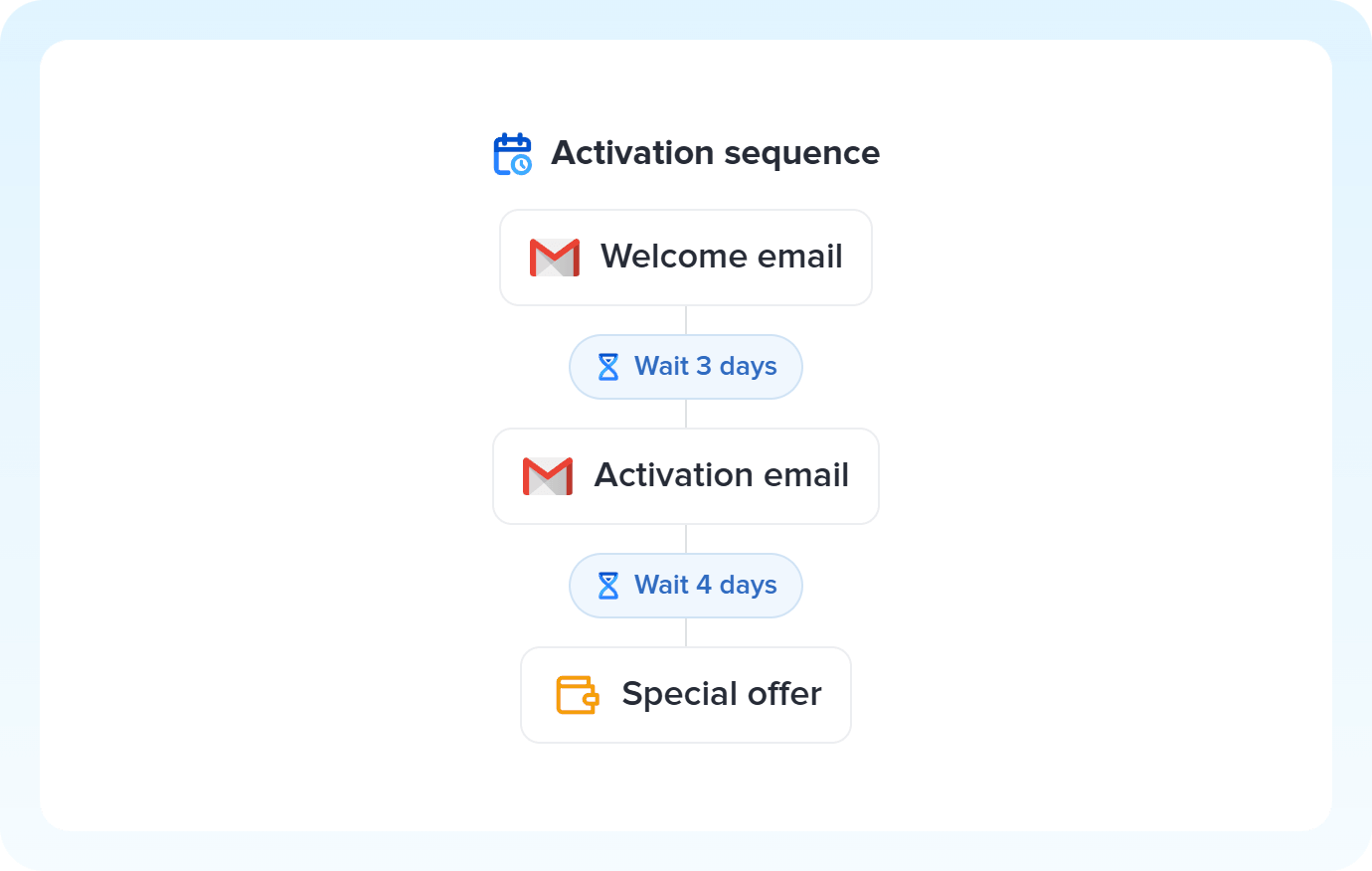
First email on sign-up day, reminder after 3 days, offer a week later: Delay blocks interleaved with actions build an entire nurture track inside a single flow.
Build nurture tracks with Delay -
Bank slip payments, document generation, delivery windows: some steps just aren't instant. Delay holds the flow to give the external process room before releasing the next action.
Wait on processes with Delay -
A hot lead gets immediate contact. A warm lead gets 2 days of nurture content first. Delay adjusts the wait time to each lead's profile, because the right moment to reach out changes with the temperature.
Adjust timing with Delay
All automations with Delay
-
Gmail
-
Facebook Lead Ads
-
Shopify
-
WhatsApp Business API
-
Kiwify
-
Telegram Bot
-
Asaas
-
Conta Azul
-
Zendesk
-
Kit de IA
-

Omie ERP
-

Agendor
-

Google Sheets
-

Bling
-

Ploomes
-

Hotmart
-

HubSpot
-

Pipefy
-

Omie CRM
-

Pipedrive
-

ActiveCampaign
-

Moskit CRM
-

RD Station CRM
-

PipeRun
-

Olist
-

RD Station Marketing
-

Vindi Recorrência
-

Notion
-

iugu
-

Excel
-

NectarCRM
-

Airtable
-

Bitrix24
-

Kommo
-

Trello
-

Webhooks
-

Twilio
-

Microsoft Outlook
-

Adobe Commerce 2.X (Magento)
-

Google Docs
-

Leadlovers
-

Ramper Marketing
-

Sympla
-

Loja Integrada
-

Whapi
-

WooCommerce
-

Pagar.me
-

Superlógica Assinaturas
-

Slack
-

Todoist
-

monday.com
-

ClickUp
-

Clicksign
-

Reportei
-

Manychat
-

MemberKit
-

Mercado Pago
-

Mailchimp
-

Mautic
-

Intercom
-

Meets
-

SendGrid
-

Adobe Commerce 1.X (Magento)
-

vhsys
-

Nibo
-

Squarespace
-

Discord
-

Microsoft Teams
-

Bom Controle
-

Z-API
-

Evolution API
-

Asana
-

Jira Software Cloud
-

Facebook Custom Audiences
-

Google Contacts
-

Ramper Pipeline
-

Blip
-

E-goi
-

Google Calendar
-

Webflow
-

flwchat
-

Zenvia Canais
-

Mercos
-

ZapSign
-

PayPal
-

PagBank
-

Nuvemshop (Tiendanube)
-

Yampi
-

Guru
-

Eventbrite
-

Stripe
-

Vindi Pagamentos
-

JivoChat
-

Typeform
-

Google Forms
-

Granatum Financeiro
-

Tally
-

Gravity Forms
-

Calendly
-

RD Station CRM (legado)
-

Zoho CRM
-

Eduzz
-

eNotas
-

Linkedin Lead Ads
-

Mandrill
-

Jotform
-

NFe.io
-

TikTok Ads
-

Google Lead Form
-

MCP
-

Mercado Livre
-

Kobana
-

Google Drive
-

ChatGPT
-

Instagram Business
-

Google Gemini
-

Supabase
-

Bkper
-

Lovable
-

Facebook Pages
-

SendPulse
-

Claude (Anthropic)
-

Agendador
-

Code
-

Loop
-

Agentes de IA
-

Roteador
-

Classificação por IA
-

HTTP Request
-

Extração por IA
-

Resumo por IA
-

Facebook Ads Insights
-

Formatador
-

Interruptor
-

Tradução por IA
Trusted by over 10.000 companies










Available actions with Delay
The action is the task Pluga performs automatically on Delay, every time a trigger runs.
Wait
Waits for a set amount of time before continuing the automation
- Set up delays between multiple steps in a workflow
- Allow time for a payment to clear or a document to be generated before sending notifications
- Create communication and/or billing workflows with sequential wait times
Time unit Required
Delay time amount Required
How to integrate with Delay
Frequently Asked Questions
Everything you need to know to get started with Delay on Pluga.
