Ready-made templates with Router
Pre-configured flows with Router, ready to activate in a few clicks.




When a payment is received in Asaas, issue an invoice or create an accounts receivable entry, depending on the payment method.



When a payment is approved in Mercado Pago, issue an invoice in eNotas and mark the customer as VIP in RD Station CRM when the order value is high


Forward Zendesk tickets with the Router based on priority or category: urgent tickets go to a Slack channel, while all others are added to a Trello board.


Use the Router to split new Typeform leads based on their source or score, send them to the appropriate Agendor pipeline, and notify your sales team in Slack.


Based on each response submitted by a new lead captured through Facebook Lead Ads, send a personalized WhatsApp (Z-API) text message.
Router in practice
How different teams use Router in everyday automations.
-
Every lead passes through Router before becoming an opportunity and is forwarded to a pipeline or rep based on the rule your sales team defines: region, product of interest, company size, and so on.
Distribute leads with Router -
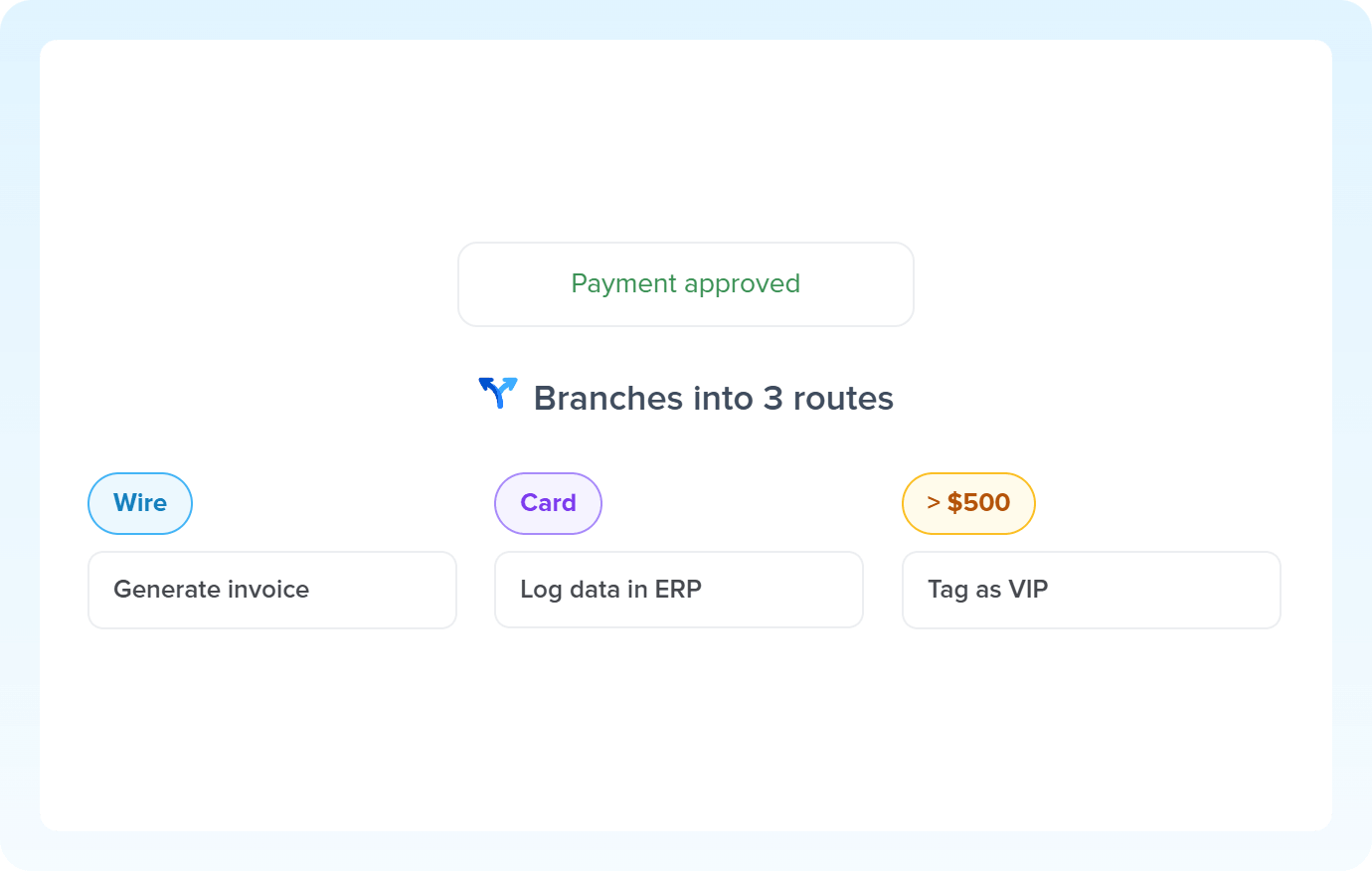
One automation, three routes: a PIX sale issues an invoice and settles the payment. A card sale becomes an accounts receivable entry, with adjusted terms and fees deducted. High-value purchases notify the VIP support team.
Route charges with Router -
Router reads each new lead's profile and forwards it to the nurturing track that makes sense: separate tool, cadence, and content from the very first moment.
Segment contacts with Router -
A new ticket comes in, Router checks its subject or source channel and routes it instantly. Critical issues go to priority support, billing questions go to sales, and cancellation requests trigger the retention team.
Organize tickets with Router
All automations with Router
-
Slack
-
RD Station CRM
-
Zendesk
-
Facebook Lead Ads
-

AI Toolkit
-
Asaas
-
Conta Azul
-
NFe.io
-
Mercado Pago
-
eNotas
-
Trello
-
Typeform
-
Agendor
-
Z-API
-

AI Classification
-

Code
-

RD Station Marketing
-

Omie ERP
-

Google Sheets
-

Bling
-

Ploomes
-

Hotmart
-

Gmail
-

HubSpot
-

Pipefy
-

Omie CRM
-

Pipedrive
-

ActiveCampaign
-

Moskit CRM
-

PipeRun
-

Olist
-

Vindi Recorrência
-

Notion
-

iugu
-

Excel
-

NectarCRM
-

Airtable
-

Bitrix24
-

Kommo
-

Webhooks
-

Twilio
-

Microsoft Outlook
-

Adobe Commerce 2.X (Magento)
-

Google Docs
-

Leadlovers
-

Ramper Marketing
-

Sympla
-

Loja Integrada
-

Whapi
-

WooCommerce
-

Pagar.me
-

Superlógica Assinaturas
-

Todoist
-

monday.com
-

ClickUp
-

Clicksign
-

Shopify
-

Reportei
-

Manychat
-

MemberKit
-

Mailchimp
-

Mautic
-

Intercom
-

Meets
-

SendGrid
-

Telegram Bot
-

Adobe Commerce 1.X (Magento)
-

vhsys
-

Nibo
-

Squarespace
-

Discord
-

Microsoft Teams
-

BomControle
-

WhatsApp Business API
-

Evolution API
-

Asana
-

Jira Software Cloud
-

Facebook Custom Audiences
-

Google Contacts
-

Ramper Pipeline
-

Blip
-

E-goi
-

Google Calendar
-

Webflow
-

flwchat
-

Zenvia Canais
-

Mercos
-

ZapSign
-

PayPal
-

PagBank
-

Tiendanube
-

Guru
-

Yampi
-

Kiwify
-

Eventbrite
-

Stripe
-

Vindi Pagamentos
-

JivoChat
-

Google Forms
-

Granatum Financeiro
-

Tally
-

Gravity Forms
-

Calendly
-

RD Station CRM (legado)
-

Zoho CRM
-

Eduzz
-

Linkedin Lead Ads
-

Mandrill
-

Jotform
-

TikTok Ads
-

Google Lead Form
-

MCP
-

Mercado Libre
-

Kobana
-

Google Drive
-

ChatGPT
-

Instagram Business
-

Google Gemini
-

Supabase
-

Bkper
-

Lovable
-

Facebook Pages
-

SendPulse
-

Claude (Anthropic)
-

Scheduler
-

Loop
-

AI Agents
-

HTTP Request
-

AI Extraction
-

AI Summarization
-

AI Translation
-

Delay
-

Facebook Ads Insights
-

Formatter
-

Switch Guard
Trusted by over 10.000 companies










Available actions with Router
The action is the task Pluga performs automatically on Router, every time a trigger runs.
Single match (recommended)
E.g.: Route A Email contains “bob” / Route B Email contains “pluga”. On email “bob@pluga”, only the Route A will run
- Route each piece of data through a dedicated path based on mutually exclusive criteria
- Separate payments by payment method, such as Pix, credit card, or bank slip
- Route support tickets to different channels based on priority or category.
- Send leads to separate pipelines based on their source or score
Multiple matches
E.g.: Route A Email contains “bob” / Route B Email contains “pluga”. On email “bob@pluga”, all routes will run
- Run multiple actions in parallel from a single event
- Issue an invoice while simultaneously tagging the customer based on their purchase amount
- Notify different teams about the same order, with each team receiving only the information that matters to them
- Apply multiple criteria that can coexist in the same data, such as purchase amount and payment method
How to integrate with Router
Frequently Asked Questions
Everything you need to know to get started with Router on Pluga.
