Ready-made templates with AI Toolkit
Pre-configured flows with AI Toolkit, ready to activate in a few clicks.



Qualify leads from Facebook Lead Ads and add them to RD Station CRM


Extract data from your Gmail using the AI Kit and create accounts payable in Conta Azul.



Classify Zendesk tickets by support tier (L1, L2, or Finance) using the AI Toolkit and notify the appropriate Slack channel.
Summarize RD Station CRM deal notes using the AI Kit and send an executive summary to the sales team in Slack.

Translate briefing emails received in Gmail using the AI Toolkit and create a translated card in Trello.
AI Toolkit in practice
How different teams use AI Toolkit in everyday automations.
-
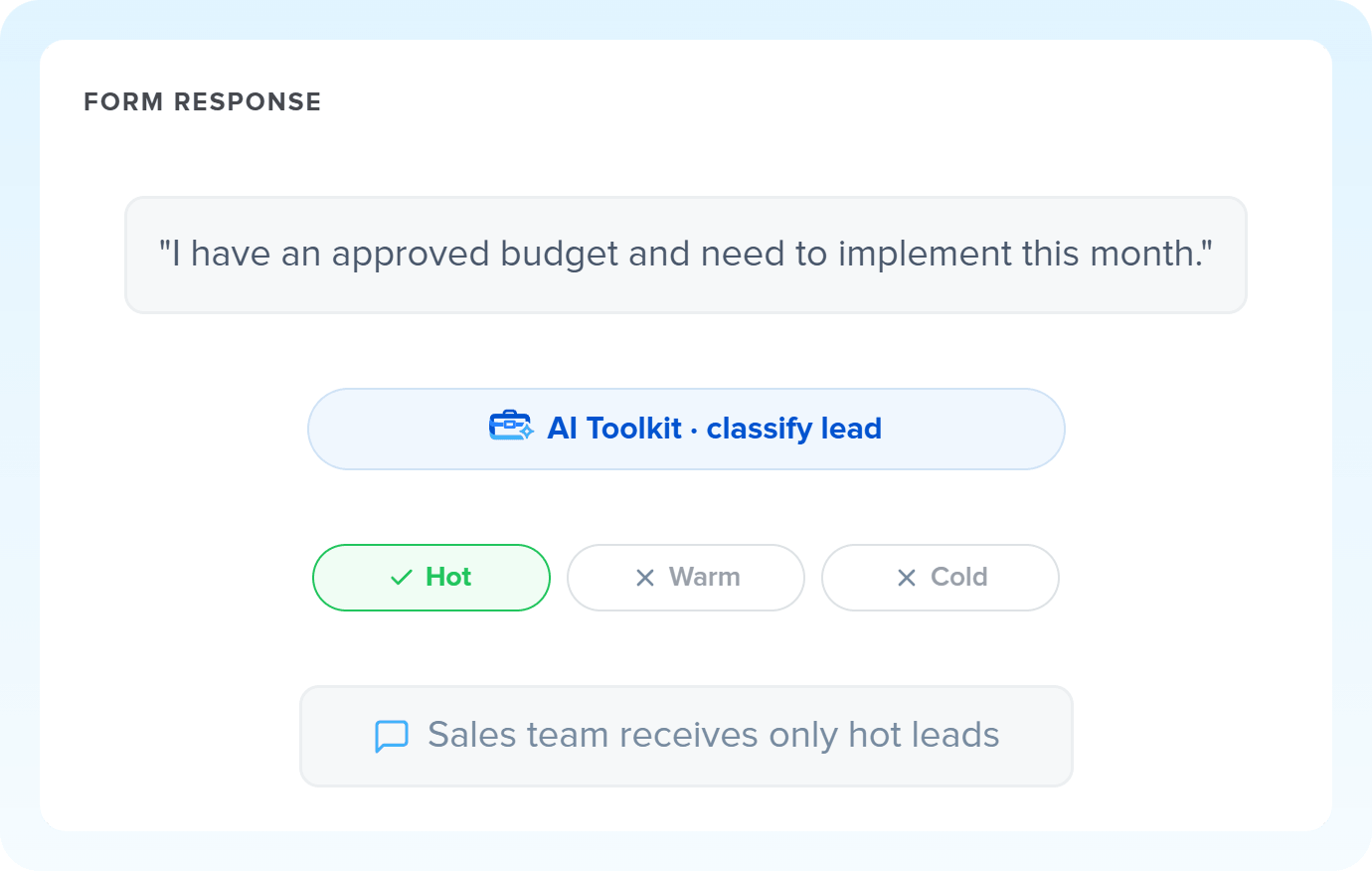
Every incoming lead is analyzed by AI and classified on a scale you define. The result automatically fills the qualification field in your CRM, with no manual triage.
Qualify leads with AI Toolkit -
Orders, cancellations, and exchanges that arrive by email automatically become structured data: AI Toolkit extracts each field separately and delivers everything organized in your ERP or spreadsheet.
Extract data with AI Toolkit -
Forms, CRM notes, and long feedback turn into short summaries instantly. AI Toolkit condenses the text and delivers it ready to create tasks, notify your team, or generate a report.
Summarize texts with AI Toolkit -
Briefs, tickets, and product descriptions that arrive in another language are automatically translated before the next step. AI detects the source language and delivers the result in your team's language.
Translate with AI Toolkit
All automations with AI Toolkit
-
Facebook Lead Ads
-
Gmail
-
RD Station CRM
-
Slack
-
Trello
-
Zendesk
-

Agendor
-

Kommo
-

Pipedrive
-

HubSpot
-

Notion
-

Facebook Custom Audiences
-
Conta Azul
-
Router
-

Delay
-

Omie ERP
-

Google Sheets
-

Bling
-

Asaas
-

Ploomes
-

Hotmart
-

Pipefy
-

Omie CRM
-

ActiveCampaign
-

Moskit CRM
-

PipeRun
-

RD Station Marketing
-

Olist
-

Vindi Recorrência
-

iugu
-

Excel
-

NectarCRM
-

Airtable
-

Bitrix24
-

Webhooks
-

Twilio
-

Microsoft Outlook
-

Adobe Commerce 2.X (Magento)
-

Google Docs
-

Leadlovers
-

Ramper Marketing
-

Sympla
-

Loja Integrada
-

Whapi
-

WooCommerce
-

Pagar.me
-

Superlógica Assinaturas
-

Todoist
-

monday.com
-

ClickUp
-

Clicksign
-

Shopify
-

Reportei
-

Manychat
-

MemberKit
-

Mercado Pago
-

Mailchimp
-

Mautic
-

Intercom
-

Meets
-

SendGrid
-

Telegram Bot
-

Adobe Commerce 1.X (Magento)
-

vhsys
-

Nibo
-

Squarespace
-

Discord
-

Microsoft Teams
-

BomControle
-

WhatsApp Business API
-

Z-API
-

Evolution API
-

Asana
-

Jira Software Cloud
-

Google Contacts
-

Ramper Pipeline
-

Blip
-

E-goi
-

Google Calendar
-

Webflow
-

flwchat
-

Zenvia Canais
-

Mercos
-

ZapSign
-

PayPal
-

PagBank
-

Tiendanube
-

Guru
-

Yampi
-

Kiwify
-

Eventbrite
-

Stripe
-

Vindi Pagamentos
-

JivoChat
-

Typeform
-

Google Forms
-

Granatum Financeiro
-

Tally
-

Gravity Forms
-

Calendly
-

RD Station CRM (legado)
-

Zoho CRM
-

Eduzz
-

eNotas
-

Linkedin Lead Ads
-

Mandrill
-

Jotform
-

NFe.io
-

TikTok Ads
-

Google Lead Form
-

MCP
-

Mercado Libre
-

Kobana
-

Google Drive
-

ChatGPT
-

Instagram Business
-

Google Gemini
-

Supabase
-

Bkper
-

Lovable
-

Facebook Pages
-

SendPulse
-

Claude (Anthropic)
-

Scheduler
-

Code
-

Loop
-

AI Agents
-

AI Classification
-

HTTP Request
-

AI Extraction
-

AI Summarization
-

AI Translation
-

Facebook Ads Insights
-

Formatter
-

Switch Guard
Trusted by over 10.000 companies










Available actions with AI Toolkit
The action is the task Pluga performs automatically on AI Toolkit, every time a trigger runs.
Summarize content
Condenses long texts into short versions (e.g., email summary)
- Turn long customer support transcripts into report-ready bullet points
- Condense open-ended feedback from evaluation forms
- Create concise versions of deal notes for team notifications
Model Required
Information to be summarized Required
Extract data
Extracts structured data from text (e.g., name, email, amount)
- Extract amounts, names, and dates from emails or text blocks
- Convert free-form messages into structured fields for your CRM, ERP, or spreadsheet
- Extract the scope, deadline, and budget from project briefing emails
Model Required
Text to be extracted Required
Fields to extract
Translate content
Converts text between languages (e.g., EN to ZH)
- Translate support tickets received in another language
- Translate project briefs from international clients into your team's language
- Translate product descriptions for upload to international marketplaces
Model Required
Information to be translated Required
Source Language Required
Target Language Required
Classify content
Classifies texts into categories of the same scale (ex: hot, warm or cold lead)
- Separate leads by temperature (hot, warm, or cold) before sending them to your CRM
- Route support tickets by support level (L1, L2, or Finance)
- Segment form responses by interest profile
- Categorize NPS feedback as Promoter, Passive, or Detractor
Model Required
Information to be classified Required
Categories
How to integrate with AI Toolkit
Frequently Asked Questions
Everything you need to know to get started with AI Toolkit on Pluga.
