Ready-made templates with Extração por IA
Pre-configured flows with Extração por IA, ready to activate in a few clicks.



Extract invoice data from Gmail (amount, due date, and vendor) using AI and create accounts payable in Conta Azul


Receive project briefs from Outlook, extract the scope, deadline, and budget using AI Extraction, and create a Trello card.


Extract structured information from form submissions using AI and create or update leads in Kommo.


Use AI to extract the relevant data from open-ended Typeform responses and log it in Google Sheets


Make a daily HTTP request to your system, use AI to extract the key data, and log it in Google Sheets
Extração por IA in practice
How different teams use Extração por IA in everyday automations.
-
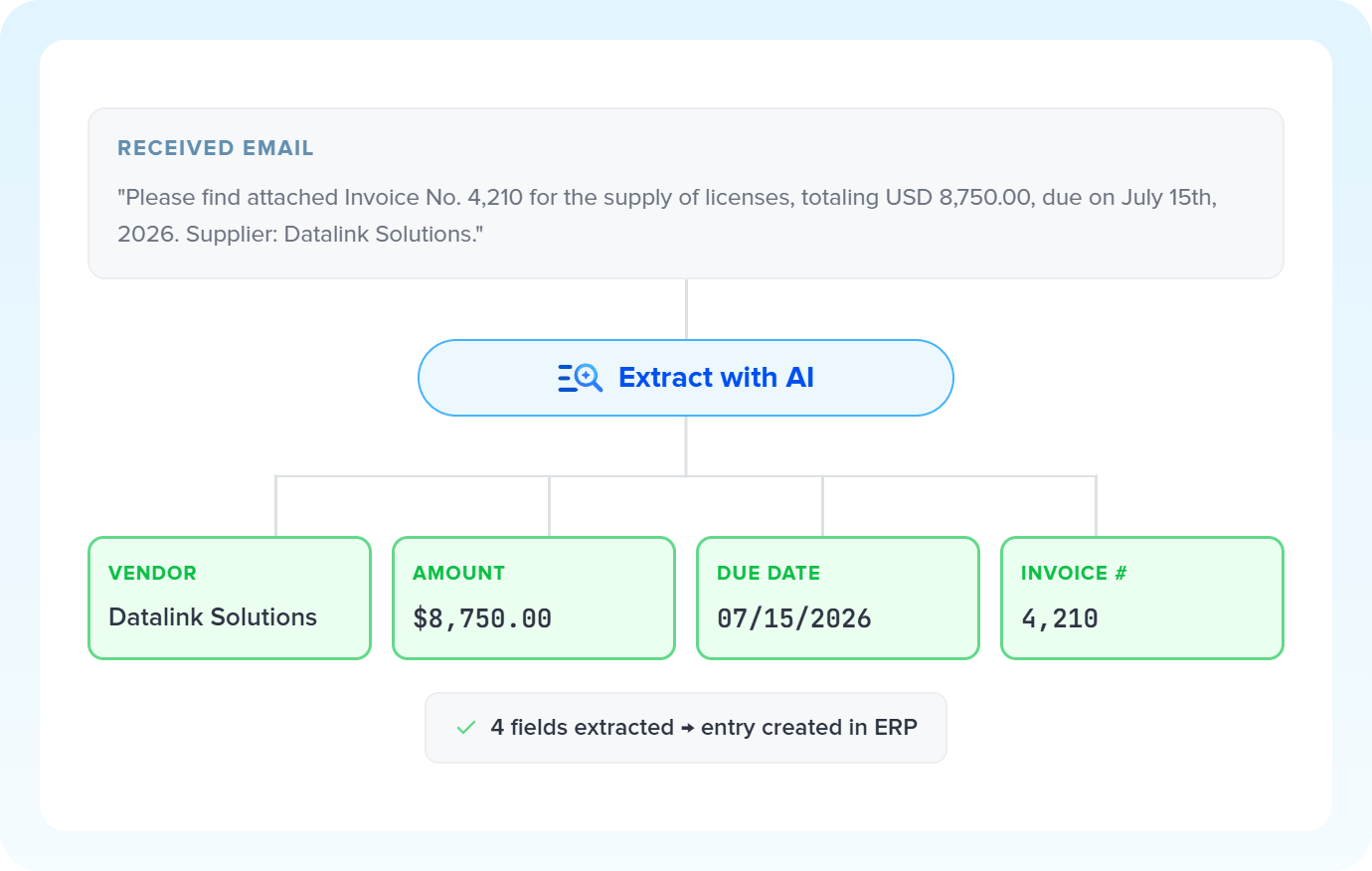
Invoices and charges arrive as text in the email body. AI reads each message, splits amount, due date and vendor into independent fields, and delivers everything ready for posting to the ERP.
Extract financial data with AI -
The client sends the brief through a free-text form field. AI automatically finds scope, deadline and budget, and each piece of information becomes a separate field in the project manager's card.
Structure briefs with AI -
Ads and landing pages capture data in varied formats. AI identifies name, job title and company in the incoming text and delivers each field mapped to the CRM or email marketing app.
Enrich leads with AI -
Support tickets and messages mix narrative with concrete data. AI finds the order number, product and status in the message body, and each field flows separately into the support system.
Organize tickets with AI
All automations with Extração por IA
-
Gmail
-
Google Sheets
-
Conta Azul
-
Microsoft Outlook
-
Trello
-
Typeform
-
Webhooks
-
Kommo
-
Agendador
-
HTTP Request
-

Code
-

Pipedrive
-

Omie ERP
-

Agendor
-

Bling
-

Asaas
-

Ploomes
-

Hotmart
-

HubSpot
-

Pipefy
-

Omie CRM
-

ActiveCampaign
-

Moskit CRM
-

RD Station CRM
-

PipeRun
-

Olist
-

RD Station Marketing
-

Vindi Recorrência
-

Notion
-

iugu
-

Excel
-

NectarCRM
-

Airtable
-

Bitrix24
-

Twilio
-

Adobe Commerce 2.X (Magento)
-

Google Docs
-

Leadlovers
-

Ramper Marketing
-

Sympla
-

Loja Integrada
-

Whapi
-

WooCommerce
-

Pagar.me
-

Superlógica Assinaturas
-

Slack
-

Todoist
-

monday.com
-

ClickUp
-

Clicksign
-

Shopify
-

Reportei
-

Manychat
-

MemberKit
-

Mercado Pago
-

Mailchimp
-

Mautic
-

Intercom
-

Meets
-

SendGrid
-

Telegram Bot
-

Adobe Commerce 1.X (Magento)
-

vhsys
-

Nibo
-

Squarespace
-

Discord
-

Microsoft Teams
-

Bom Controle
-

WhatsApp Business API
-

Z-API
-

Evolution API
-

Asana
-

Jira Software Cloud
-

Facebook Custom Audiences
-

Google Contacts
-

Ramper Pipeline
-

Blip
-

E-goi
-

Google Calendar
-

Webflow
-

flwchat
-

Zenvia Canais
-

Mercos
-

ZapSign
-

PayPal
-

PagBank
-

Nuvemshop (Tiendanube)
-

Yampi
-

Guru
-

Kiwify
-

Eventbrite
-

Stripe
-

Vindi Pagamentos
-

JivoChat
-

Google Forms
-

Granatum Financeiro
-

Zendesk
-

Tally
-

Gravity Forms
-

Calendly
-

Facebook Lead Ads
-

RD Station CRM (legado)
-

Zoho CRM
-

Eduzz
-

eNotas
-

Linkedin Lead Ads
-

Mandrill
-

Jotform
-

NFe.io
-

TikTok Ads
-

Google Lead Form
-

MCP
-

Mercado Livre
-

Kobana
-

Google Drive
-

ChatGPT
-

Instagram Business
-

Google Gemini
-

Supabase
-

Bkper
-

Lovable
-

Facebook Pages
-

SendPulse
-

Claude (Anthropic)
-

Kit de IA
-

Loop
-

Agentes de IA
-

Roteador
-

Classificação por IA
-

Resumo por IA
-

Delay
-

Facebook Ads Insights
-

Formatador
-

Interruptor
-

Tradução por IA
Trusted by over 10.000 companies










Available actions with Extração por IA
The action is the task Pluga performs automatically on Extração por IA, every time a trigger runs.
Extract data
Extracts structured data from text (e.g., name, email, amount)
- Extract amounts, names, and dates from emails and text blocks
- Convert free-form messages into structured fields for your CRM, ERP, or spreadsheet
- Extract the scope, deadline, and budget from project briefing ema
- Identify invoice and billing data from emails
Model Required
Text to be extracted Required
Fields to extract
How to integrate with Extração por IA
Frequently Asked Questions
Everything you need to know to get started with Extração por IA on Pluga.
